

PVPRP

Register


E-Mail:

Username:

Password:

I agree with PvPRP Terms of Services and Privacy Policy

Subscribe to our Newsletter to be notified about giveaways and more.

Already have an Account? Click here to Log In.

Log In


Username:

Not Registered yet? Click here to Register.

PVPRP LogoPVPRP BEDROCK
Click to visit Konkov's profile
Profile picture of Konkov on PvPRP

1 year ago

by Konkov

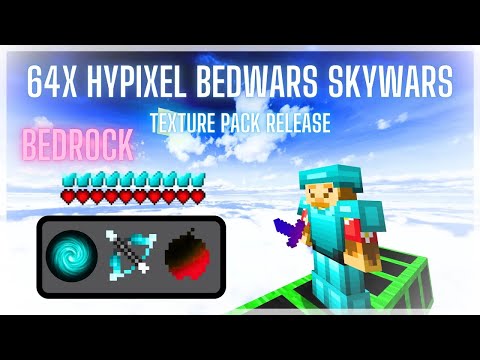
[Bedrock] 64x Hypixel Bedwars 16x

Preview the Pack

Open a lightweight 3D PvP loadout preview before downloading.

Download Pack


1

2

3

Subscribe to Creator

Before downloading the pack you have to Subscribe to Konkov's YouTube channel.


Download Pack

After completing step 1 you can download the pack by pressing the button below!


Download

Download

Download safely

Follow Konkov

OPTIONAL, you can follow creator of this pack on PVPRP and be notified when they release more packs!


2

Rate Pack


Help others to discover this pack by rating it based on your opinions!
By rating it you will also gain profile XP and with it amazing leveling rewards that you can find here.


(1 Ratings)

How to use a Texture Pack:


After downloading your pack follow this step guide to get it working in your game

1. Download the .mcpack file from PVPRP
2. Open the downloaded file and it will automatically import into Minecraft
3. Go to Settings in Minecraft
4. Click on Global Resources or go to a world and click Resource Packs
5. Find the pack and click Activate
6. Press Done and enjoy your new textures!

If the file is a .zip rename it to .mcpack before opening it.

Texture Pack Guides

Install help, fixes, and texture pack tips for PVPRP packs.

Install Fix Packs Resolutions

You Might Also Like

Best Blue Texture Packs for Minecraft

Best Blue Texture Packs for Minecraft

Best Wool Overlay Texture Packs for Minecraft Bedwars

Best Wool Overlay Texture Packs for Minecraft Bedwars

Best UHC Texture Packs for Minecraft

Best UHC Texture Packs for Minecraft

Check out our social media with links below


Discord

Discord

Twitter

Twitter